
Microsoft Dynamics 365 Customer Service is a platform designed to help organizations deliver strong, consistent, and efficient customer support. It brings together tools for case management, communication, automation, reporting, and knowledge sharing so support teams can resolve issues faster and create better customer experiences.
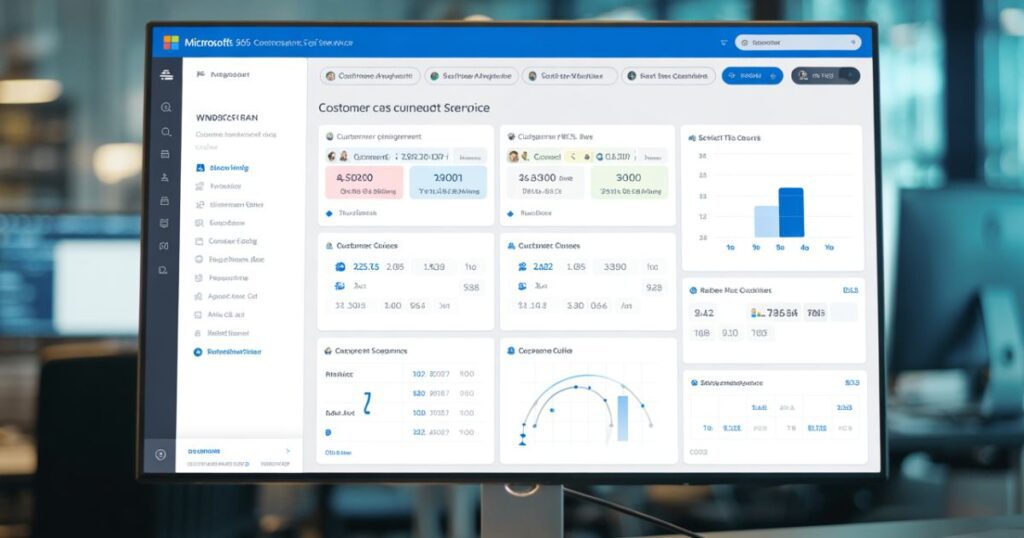
This article explains Dynamics 365 Customer Service in simple wording, focusing on practical uses, core features, and how it supports training and placement goals for organizations such as CheckmateITTech, which works with learners and professionals across the United States.
Why Customer Service Matters Today
Customer expectations are higher than ever. They want quick answers, accurate information, and support from knowledgeable agents. When companies fail to meet these expectations, customers easily switch to competitors.
For businesses, good customer service is not just a “nice to have.” It directly impacts brand reputation, customer loyalty, and long-term growth. Dynamics 365 Customer Service helps organizations stay consistent and organized, even when handling large volumes of inquiries.
What Is Dynamics 365 Customer Service?
Dynamics 365 Customer Service is a cloud-based customer support application. It gives companies a single place to track customer issues, respond to requests, share knowledge, and measure performance.
Because it is cloud-based, teams can use it from any location an important factor for modern workplaces that rely on remote and hybrid setups.
The platform is flexible, so companies of different sizes can customize it to their needs. Whether it’s a small team handling technical questions or a large organization managing multiple support channels, Dynamics 365 Customer Service fits both scenarios.
Core Features Explained in Simple Words

1. Case Management
Case Management is the heart of the system. A “case” is simply a customer inquiry or issue.
Dynamics 365 allows support agents to:
- Create cases from emails, calls, chats, or web forms
- Track all interactions in one place
- Add notes, attachments, or updates
- Assign cases to the right team member
This ensures no customer request is forgotten or delayed.
2. Multi-Channel Support
Today, customers expect multiple ways to contact a business. Dynamics 365 supports channels such as:
- Phone
- Live chat
- Social media
- Self-service portals
This means customers can reach out in the way that is easiest for them, while agents handle everything from a single system.
3. Knowledge Base
A knowledge base is a library of helpful articles, FAQs, and troubleshooting steps.
Dynamics 365 makes it easy to:
- Write and store articles
- Share information across teams
- Give customers access to self-help resources
This reduces the workload on support teams and helps customers find quick solutions.
4. Automation and Workflows
Automation helps speed up repetitive tasks. Examples include:
- Automatically routing cases to the right team
- Triggering follow-up reminders
- Creating notifications when a case changes status
These automations help teams stay organized and avoid missing important actions.
5. AI and Insights
Some versions of Dynamics 365 Customer Service offer AI-powered assistance. These features provide:
- Suggestions for next steps
- Topic clustering to show common customer concerns
- Performance dashboards
AI makes the support process smarter and helps decision-makers understand customer behavior.
6. Customer Service Workspace
This is a dedicated screen for agents where they can see all their cases, communications, and tools in one place. It reduces the time spent switching tabs and helps agents focus on solving problems.
7. Service Level Agreements (SLAs)
SLAs are rules that define how quickly a company should respond to customer issues. Dynamics 365 helps track:
- Response time
- Resolution time
- Priority levels
This keeps service quality consistent and measurable.
8. Self-Service Portals
Many customers prefer solving issues on their own instead of reaching out to support teams. Dynamics 365 portals allow customers to:
- Search the knowledge base
- Submit cases
- Check the status of their request
It improves overall service quality and reduces pressure on support agents.
How Dynamics 365 Customer Service Helps Businesses
Every business, whether large or small, can benefit from improved customer service. Here are some real-world advantages:

Increased Efficiency
Agents spend less time searching for information because everything is organized in one place. Automation handles repetitive tasks, allowing teams to focus on complex issues.
Faster Response Times
With clear case routing and SLA tracking, customers receive quicker responses and solutions.
Better Customer Experience
When customers feel heard and supported, their trust in the company grows. This leads to repeat business and positive word-of-mouth.
Stronger Team Collaboration
Agents can share notes, knowledge articles, and updates easily. Managers also get visibility into performance, helping them support and coach team members.
Improved Decision-Making
Dashboards, reports, and analytics reveal patterns and customer behavior. This helps companies make informed improvements.
Dynamics 365 Customer Service in the Context of Training and Placement
Organizations like CheckmateITTech, which provide training and placement services across the United States, can benefit greatly from Dynamics 365 Customer Service. Here’s how:
Supporting Student and Candidate Queries
Training and placement centers often receive constant inquiries related to:
- Courses
- Enrollment
- Certification
- Placement opportunities
Using Case Management, institutions can keep track of every student and ensure no request goes unanswered.
Managing Placement Support
After completing training, students may have questions about job applications, interview preparation, or company submissions. A structured support system makes this process smoother.
Providing Self-Help Resources
A knowledge base can store information such as:
- Course details
- Training schedules
- Placement guidelines
- Frequently asked questions
This saves time for both staff and students.
Handling Outreach from Companies
Placement teams often work with employers across the United States. Dynamics 365 helps maintain clear communication and track partnership requests.
Training Students on In-Demand Skills
Many organizations teach Dynamics 365 Customer Service as a job-ready skill. Companies across the U.S. use this system, so learning it can open doors to customer service, business operations, and CRM-related job roles.
Why Learning Dynamics 365 Customer Service Is Valuable
For individuals seeking a career in IT, business analysis, customer support, or CRM management, learning Dynamics 365 Customer Service can be a strong advantage. Here’s why:
High Demand in the Job Market
Many companies across industries healthcare, retail, finance, and technology use Dynamics 365.
Easy to Learn
The system is user-friendly and suitable for beginners, yet powerful enough for advanced users.
Opportunities for Growth
A person who starts as a support agent or CRM associate can grow into roles such as:
- CRM Administrator
- Business Analyst
- Functional Consultant
- Support Manager
Useful for Real-World Scenarios
Learning how to manage cases, automate workflows, and build a knowledge base prepares individuals for hands-on responsibilities in modern organizations.
Best Practices for Using Dynamics 365 Customer Service
Keep the Knowledge Base Updated
A well-maintained knowledge base reduces repetitive questions and improves customer satisfaction.
Use Automation Carefully
Automation should simplify tasks, not create confusion. It is important to test workflows before using them in real scenarios.
Maintain Clean Data
Accurate customer information ensures smooth communication and reliable reporting.
Train Support Teams Regularly
Continuous training helps agents stay updated and comfortable with the system.
Monitor Analytics
Dashboards and insights reveal areas for improvement, such as slow response times or frequent issues.
How Dynamics 365 Customer Service Supports Growth
As companies expand, customer requests increase. Dynamics 365 grows with the business, allowing them to add more users, customize dashboards, and integrate with other applications like:
- Dynamics 365 Sales
- Power Automate
- Power BI
This creates a complete customer relationship and operations environment.
Conclusion
Dynamics 365 Customer Service is a powerful and flexible platform that makes customer support easier, faster, and more organized. It helps businesses deliver consistent service while giving agents the tools they need to perform well.
For organizations involved in training and placement such as CheckmateITTech operating across the United States Dynamics 365 offers practical benefits for handling student inquiries, managing placement support, and offering job-ready skills to learners.
With clear features, strong automation, multi-channel support, and helpful insights, Dynamics 365 Customer Service is a valuable tool for any organization focused on improving customer experience and growing in a competitive environment.